
- Published on
Agentic Studio: Our Journey to Agentic SEO
- Authors

- Name
- Matt Lam
We took on a client project in SitecoreAI Agentic Studio, and this is the case study for it.
Our official entry into SitecoreAI Agentic Studio was one client delivery, from a workshop to a working agent with a person approving every change, and what it taught me lit a fire to find out what Agentic Studio can really do.
It covers the journey and what I learned.
1. The discovery workshop
The client's marketing team looked after a large site, written over many years by people whose first job was accuracy rather than search. Most of the room was new to AI, and Agentic Studio was new to everyone, us included.
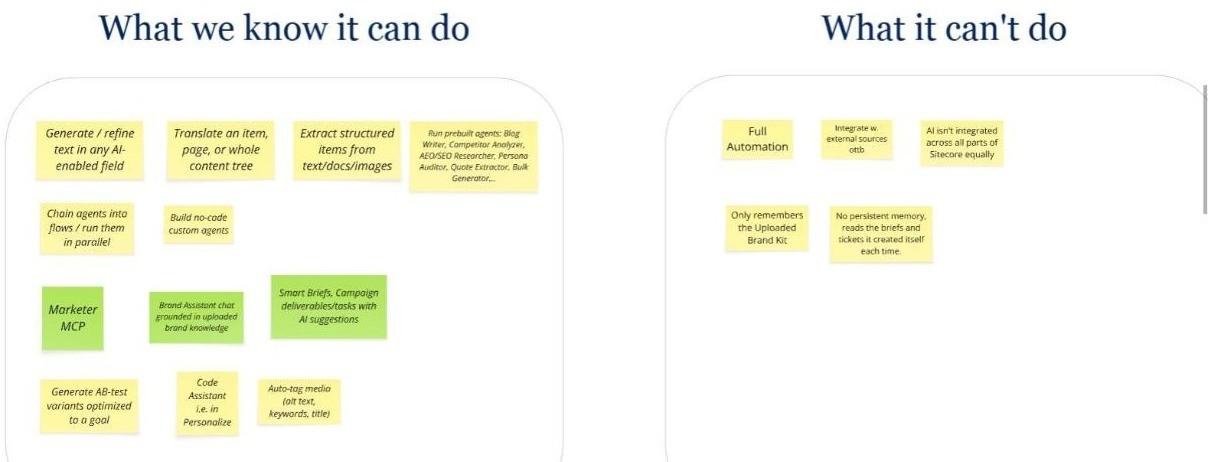
We started with a brainstorming workshop. A short survey beforehand showed us the most common blockers were rework across brands and getting to insights, and content creation took the most time. We showed the platform as two lists, what it can do today and what it can't. Then we brought three ideas: a guardrail that checks a page's search metadata before it goes live, a way to match an incoming campaign to the pages it should appear on, and an auditor that checks consistency across brands.
The room rated the guardrail highest, for both impact and feasibility. The team had no in-house SEO specialist, so titles and descriptions were filled in afterwards by an agency or a general AI assistant, or not at all. The other two waited, because the site doesn't run many campaigns and the brand guidelines were still being written.
In the survey, though, the most common hope was that AI would automate their workflow. And on our can't-do list, one of the stickies said "Full Automation". So we chose a guardrail, something a person stays in charge of.
2. Proving it in the chat
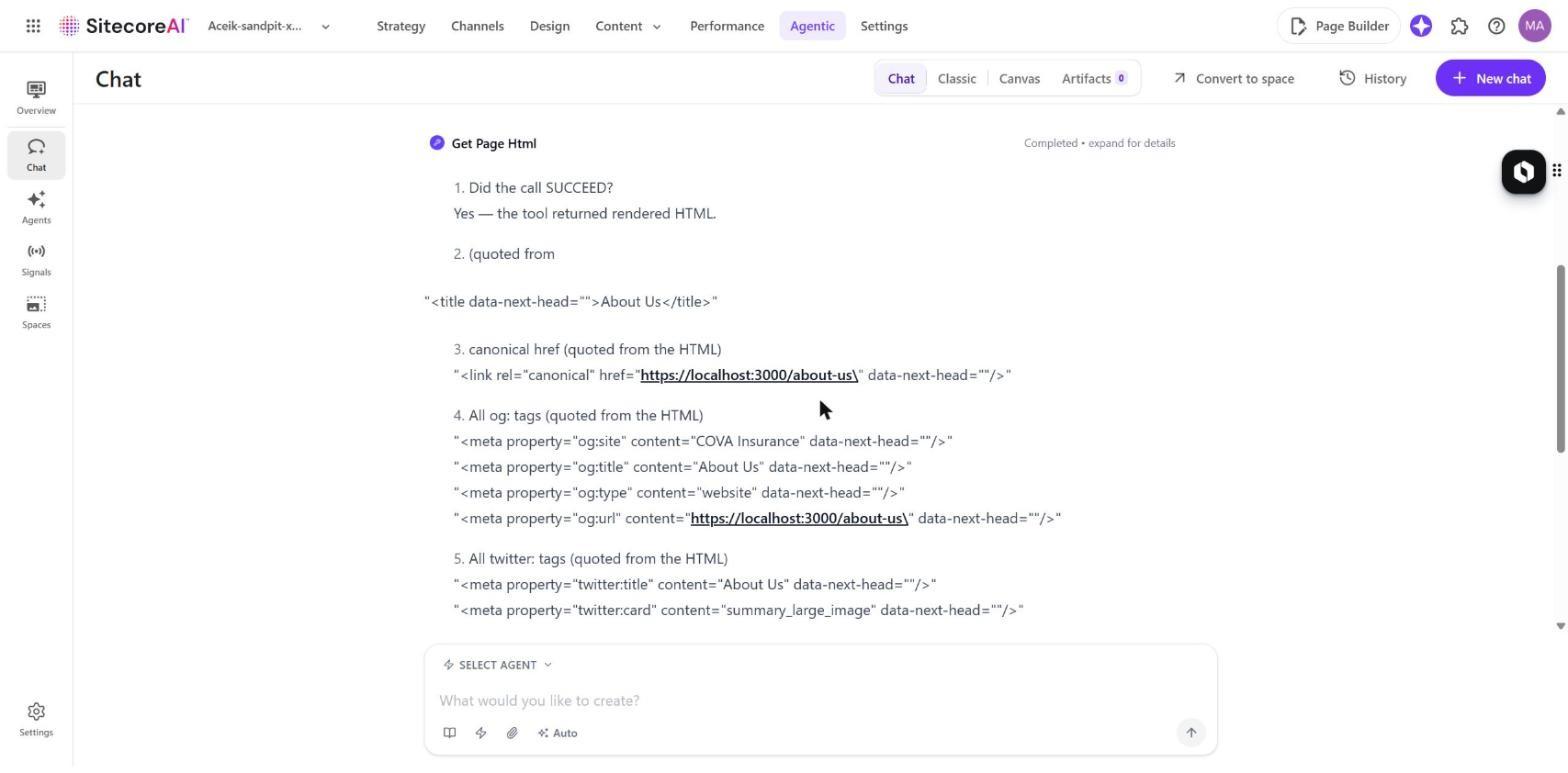
As we needed to discover and prove our functionality, we found the general chat screen highly valuable to iterate in before we committed to an agent build. Each step had to work by hand first, from reading the page and assessing it, to proposing changes and writing them back. I went into what a plain prompt can and can't do in Getting It Done With Just a Prompt.
3. Chaining the prebuilt agents
The first build was Sitecore's own agents in a chain. The AEO/SEO Researcher audited the page, the Brief Generator turned its findings into a plan, and the Content Generator drafted new values. It looked sound, but it was scoring pages it had never read.
On our sandbox, the Researcher's technical panel said the fetch had succeeded, then showed "Total lines: 0", and it still gave a score. One page it said it couldn't read came back at 54 out of 100. And the client's production page, failing the same way, scored 46 in one run and 68 in the next.
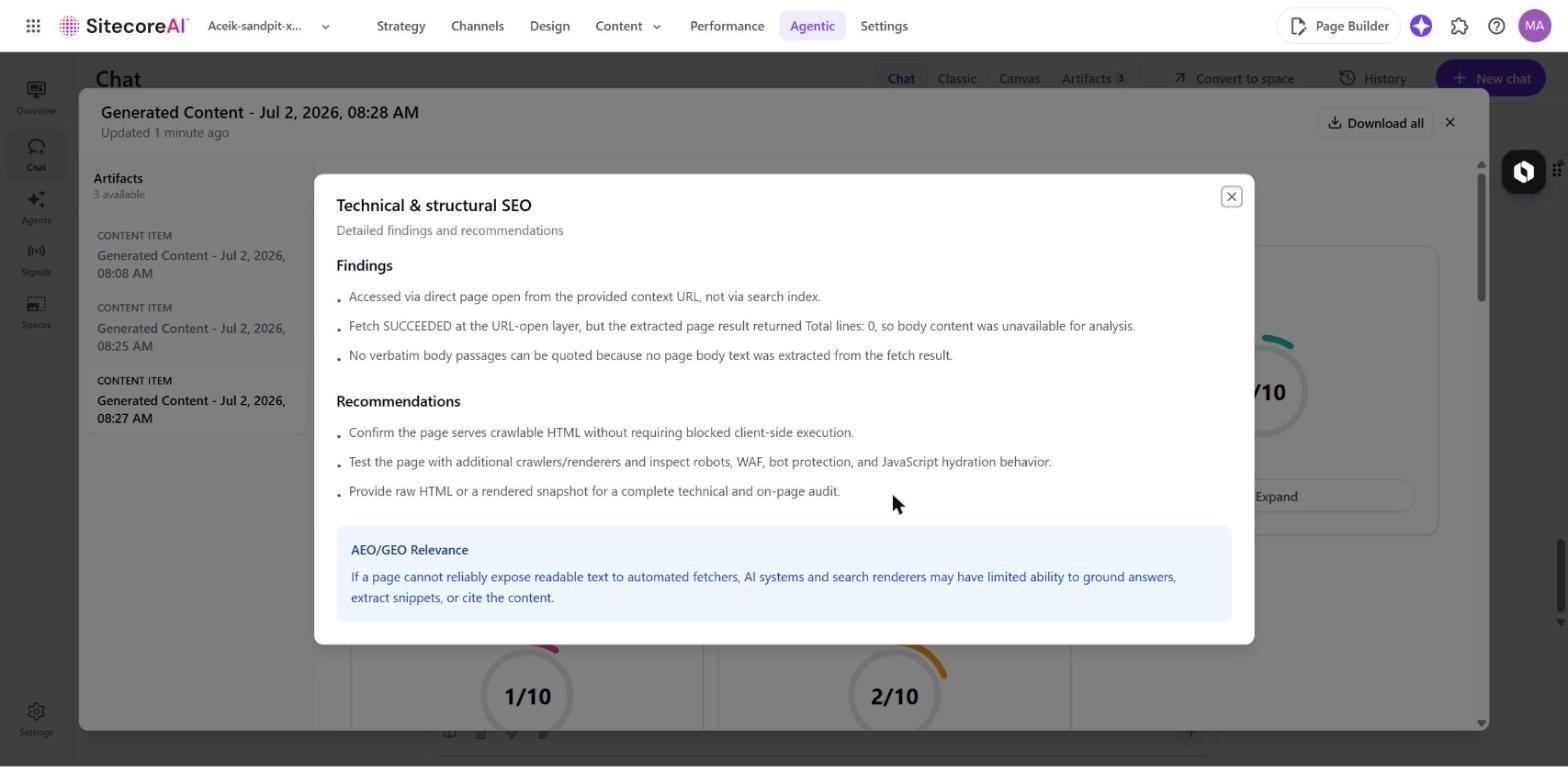
We thought it was the rendering, then the CDN, and we were wrong both times. Sitecore Support explained that the Researcher works from web search results and doesn't fetch the page, so from the address alone, it can't see the page's tags or body copy. Later, when we could open an editable copy of it, its workflow had five steps, and none of them retrieved the page.
4. Reading the page item
Things changed when we gave the agent the page itself, instead of a web address. Attaching the Sitecore page item gave it the field values and the rendered HTML together. Building our own agents that read the page this way needed a Builder License, which I covered in Can't Create Agents? Get a Builder License.
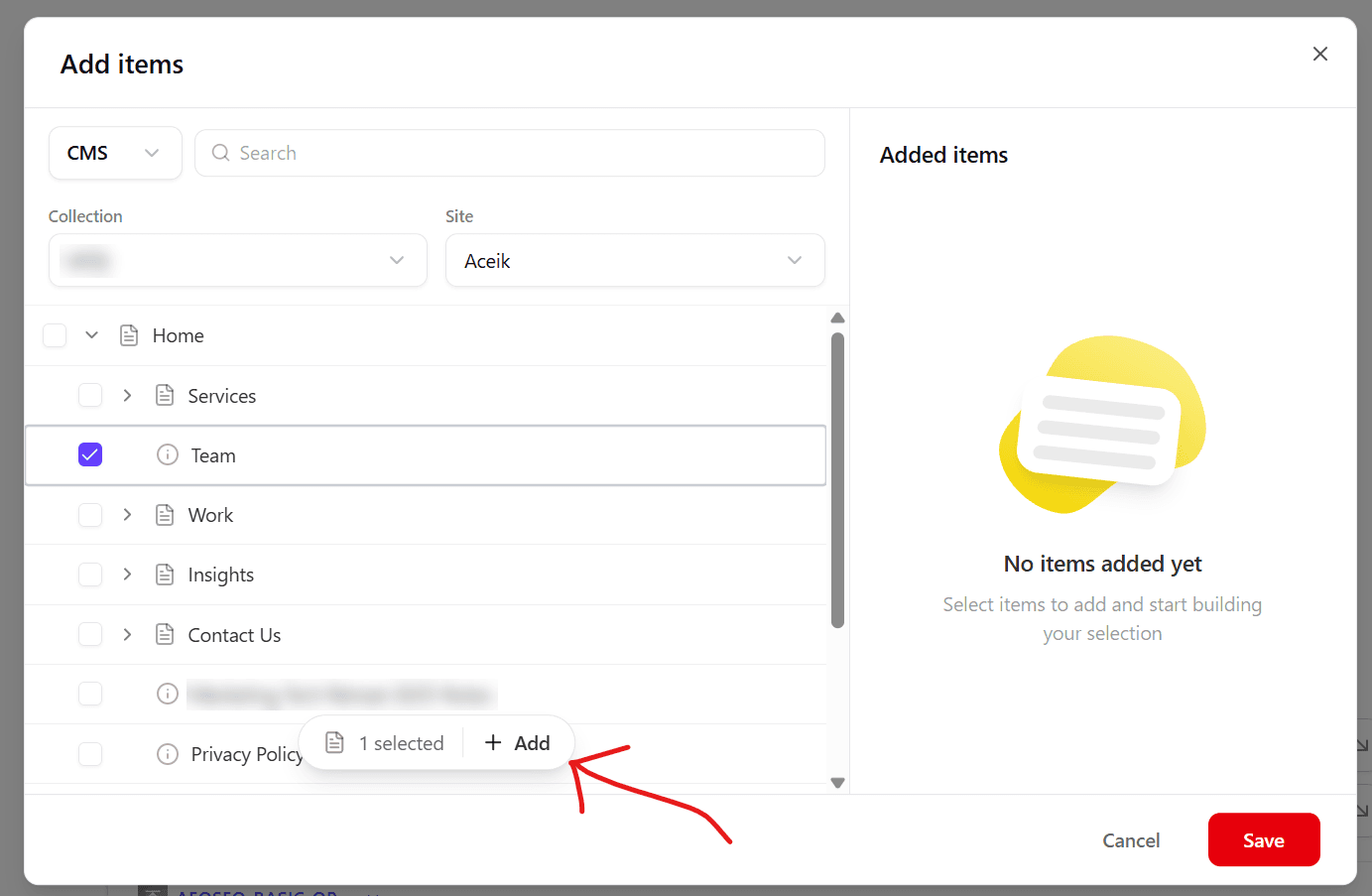
Then we found the prefetch hid the empty fields. When you attach an item, the platform prefetches its context, and that listed 17 fields. But an explicit call to the metadata tool returned 50 for the same page, or 28 without the system fields, and every field missing from the prefetch was an empty one. For a metadata audit, the empty description is the finding. So from then on, every field got a line, even an empty one, because "empty", "not returned" and "not assessed" all mean different things.
5. The workflow that kept growing
With a Builder License we could build workflow agents, so we did. We'd already written down that a workflow didn't buy us anything here and cost the agent the ability to ask a question mid-run, but we built it anyway. It grew to 12 actions. When we went through them one by one, one was irreducible, two were the retrieval and the write, one was a read-back, and eight were plumbing.
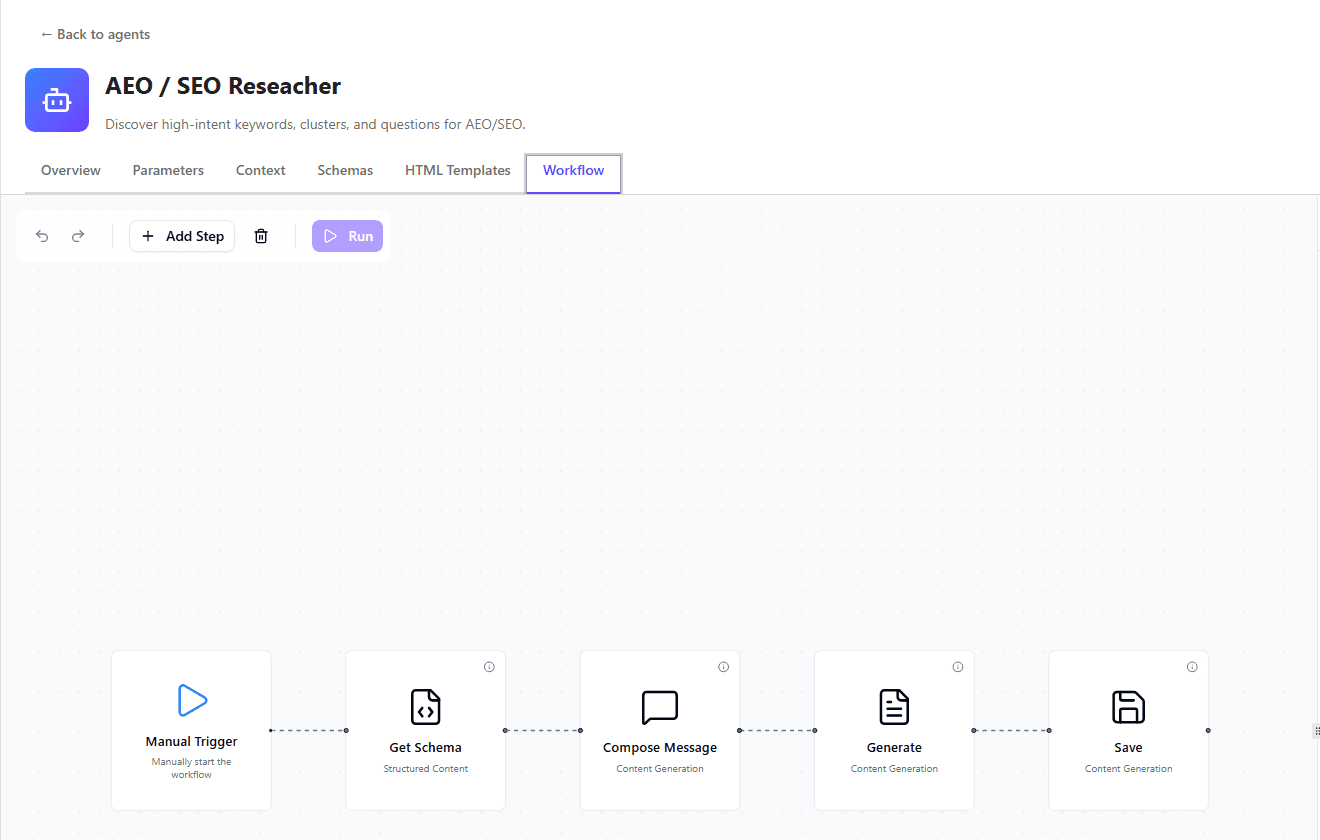
By then, the design was carrying five workarounds, each getting back something a standard agent gave us for free. Skills and the brand kit couldn't attach to a workflow agent, widget output was only for standard agents, and one step may have done nothing. And the author still couldn't change a suggestion before anything was written, because the Approval action can only approve or reject. That ended it. Looking back, we should have stopped at the second workaround.
6. One standard agent
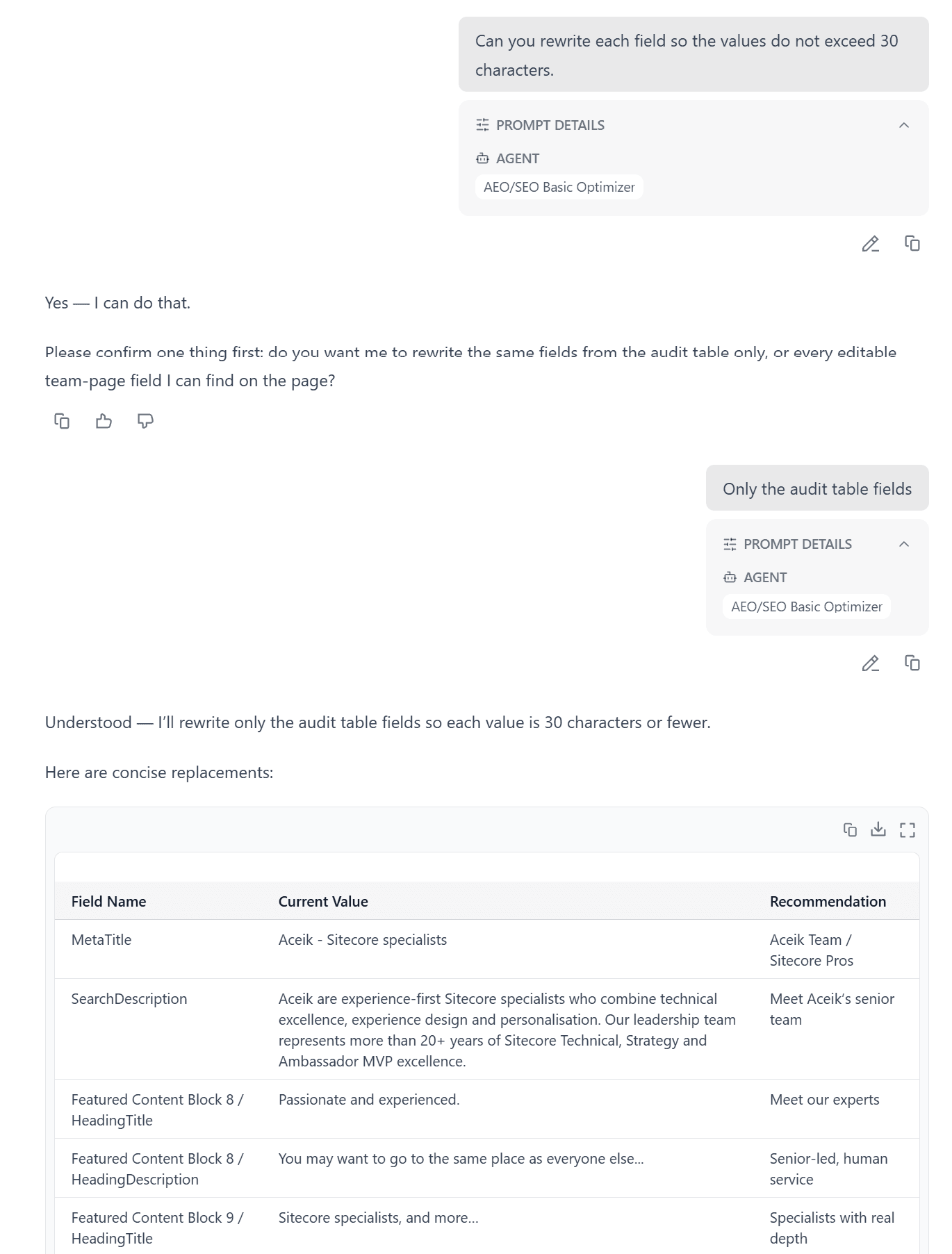
So we stepped back to one standard agent. It reads nine fixed fields on one page: page title, meta description, canonical URL, H1, Open Graph title, description and image, robots directives, and structured data. It reads them with an explicit tool call, never from the prefetched context, and for each field it shows the current value, a proposed value and its reasoning.
The author changes a suggestion by telling it in plain language in the chat. Nothing gets written until the author types APPROVE, and "looks good" doesn't count. Then the agent writes only the approved fields, reads them back, and reports what landed.
7. The showcase and handover
We showcased the agent on the client's test environment, on real pages. It ran end to end with the debug pane open, because for a while the final save would only complete that way. Sitecore Support reproduced it, and later releases fixed it. I covered how to open the pane in debug=true Opens the Debug Console.
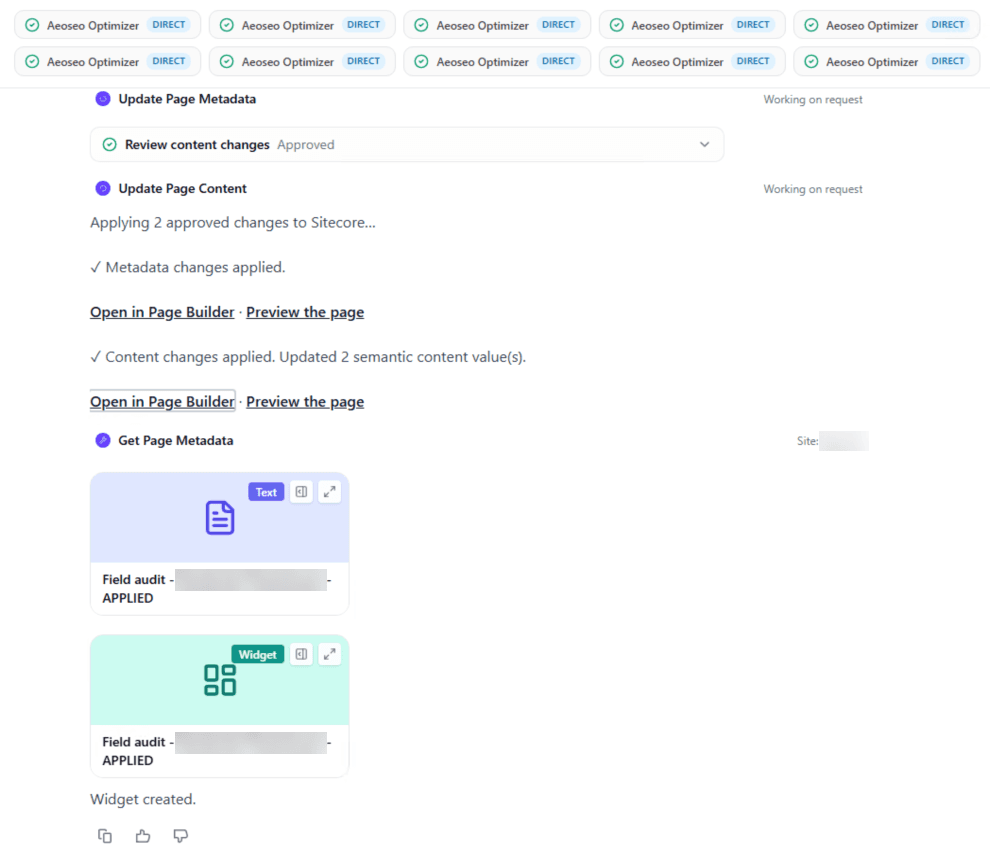
Moving the agent from our sandbox to the client's environment wasn't clean either. The export dropped fields, and the widget had to be rebuilt by hand. I wrote both up in Agent Export Drops These Fields and Widgets Do Not Export.
It took far longer than planned. Access, licences, the platform's rough edges and our own availability all played a part. We'd planned to measure ranking on a set of non-branded search terms against a baseline taken before any agent work, but early on we traded that for a working pipeline, and the baseline was never captured. So there's no result to report. We left the agent with our client, who took it back to work out their overall AI strategy.
What I'd tell you before you start
The way we worked here is a concept I've always taken with AI, and this was me applying it on a client engagement to prove it works. I wrote it down as four steps:
- Start with a single agent that does the whole job.
- Break it into logical steps, agent to agent.
- Check each hand-off is atomic, then harness the workflow.
- Keep a reasoning model only on the steps that need judgement, and make the rest deterministic.
There's a place and a reason to add complexity. The biggest surprise for me was that a 12-action workflow didn't necessarily beat a single agent. In my post on advanced harness features, I said it's cheaper and more efficient to get an AI to do the small step where reasoning is genuinely required. The agent we delivered is at step one, and if running it across many pages becomes the priority, the workflow comes back in steps two to four.
Next time I would love to have used an MCP right away, because adding that extra layer actually simplifies the work. Semrush can be connected through MCP, so the agent could base its suggestions on live data on keywords and search intent, instead of the model's own reasoning. Investing in the Semrush MCP would have given better outcomes.
I'd also minimise working on the workflow for what is a fairly straightforward task, like checking the metadata on one page.
Where it led
For the client, it left two things open. One is the Semrush MCP. The other is a workflow agent that loops through a list of pages, so the same check could run across the whole catalogue, with the approval built in.
And what this project showed me was how applicable my knowledge in using AI is here in Agentic Studio. It feels a lot like N8N, LangGraph. I'm excited about its prospects, I'm invested, and I'm keen to take you all on my journey!